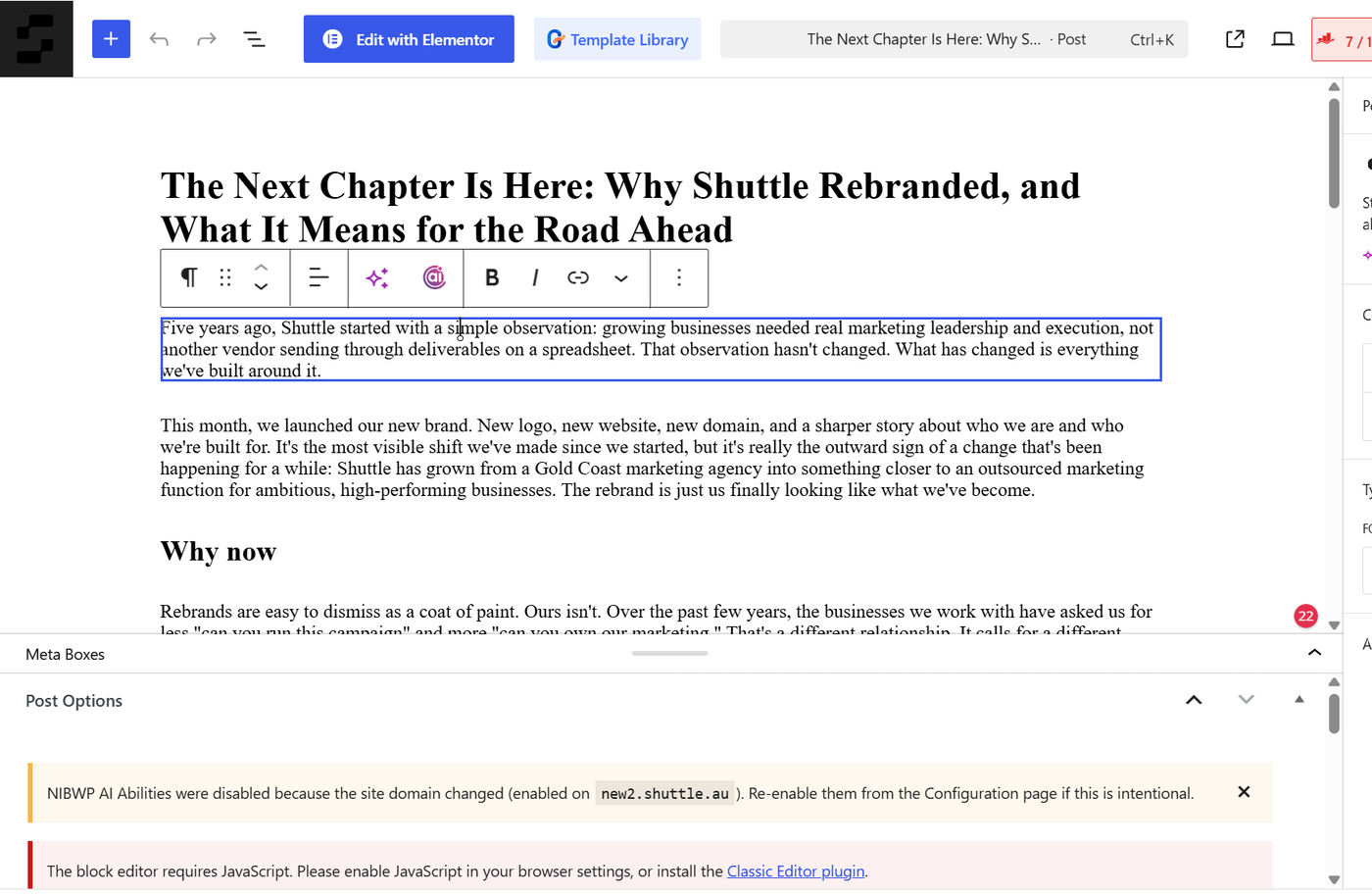
Unlike your pages, blog posts and news articles are not built in Elementor. They use WordPress's standard editor, known as the block editor.
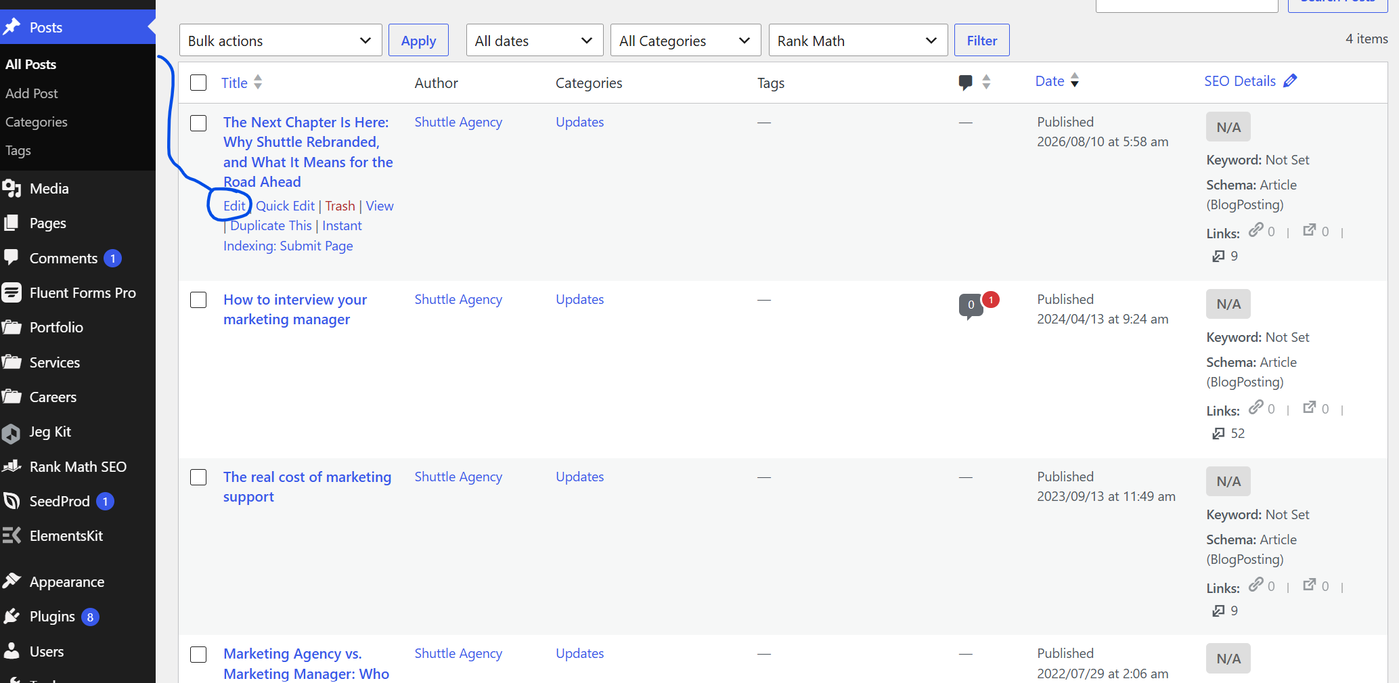
From the Dashboard, go to Posts > All Posts
Click the title of the post you want to edit (or hover over it and click Edit)
Click directly into any paragraph of text to start editing it
A small toolbar will appear above the paragraph, letting you bold, italicise, or add a link to the selected text. Use the + button to add a new block (such as a new paragraph or image)
When you're finished, click Update in the top right-hand corner of the screen to save your changes